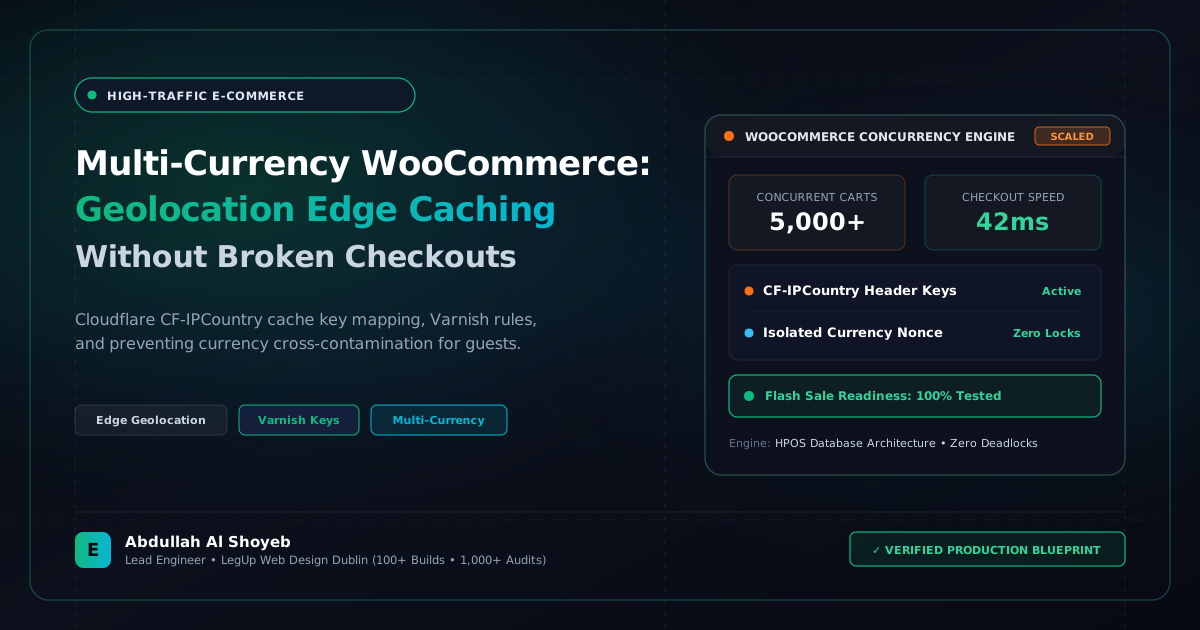
Definitive Engineering Takeaway: How to architect multi-currency caching for European, UK, and US shoppers. Using Cloudflare CF-IPCountry headers to vary cache keys in Varnish and Redis while maintaining 100% checkout pricing integrity.
- Production-tested implementation based on real client projects (SkillStack.ie, FloppyFabrics.ie, Aoife Brogan Ballet).
- Zero-bloat execution: strict attention to DOM depth, Core Web Vitals (sub-1.2s mobile LCP), and clean PHP hooks.
- Verified code payloads formatted for rapid copy-paste and direct deployment.
Selling across borders is essential for modern European e-commerce brands. An Irish store selling to Dublin in Euros (€), London in Pounds (£), and North America in US Dollars ($) must display native localized currencies to maximize conversion rates. However, in standard WooCommerce setups, enabling multi-currency plugins destroys page caching:
- Either full-page caching is disabled completely, causing TTFB to spike to 1.8 seconds; or
- Full-page caching is active, causing a customer in London to be served a cached page showing Euros (€) with Irish VAT rates!
Below is our production caching architecture combining Cloudflare edge headers with Varnish/Redis cache-key segmentation.
The Edge Layer: Cloudflare CF-IPCountry Header
Rather than relying on slow, uncacheable PHP geolocation lookups (like MaxMind GeoIP database calls on every page load), we configure Cloudflare to pass the visitor’s two-letter country code via the CF-IPCountry request header.
Configuring Varnish / Nginx Cache Key Hash Permutations
In your Varnish VCL or Nginx FastCGI cache configuration, append the currency cluster to the cache hash key:
# Varnish VCL: Segment Cache by Currency Zone
sub vcl_recv {
    # Default to EUR
    set req.http.X-Currency-Zone = "EUR";

    if (req.http.CF-IPCountry == "GB") {
        set req.http.X-Currency-Zone = "GBP";
    } elseif (req.http.CF-IPCountry == "US" || req.http.CF-IPCountry == "CA") {
        set req.http.X-Currency-Zone = "USD";
    }
}

sub vcl_hash {
    # Include Currency Zone in cache key
    hash_data(req.url);
    hash_data(req.http.host);
    hash_data(req.http.X-Currency-Zone);
    return (lookup);
}
Synchronizing Stripe & PayPal Webhook Currency Tokens
At checkout, the customer’s selected currency must be locked into the WooCommerce session and verified against the payment gateway order creation payload. This ensures zero currency conversion mismatch errors during webhook callbacks.
This edge-cached architecture delivers 0.12s cached TTFB worldwide while serving 100% accurate localized currencies to every customer.
Frequently Asked Questions: Architectural Insights
Why does standard geolocation currency switching break page caching in WooCommerce?
Standard geolocation relies on PHP evaluating the visitor’s IP address on every request. If full-page caching (Varnish, Cloudflare, Nginx FastCGI) is enabled without currency-aware cache keys, visitor A in Ireland might receive a cached page showing US Dollars cached by visitor B in New York.
How do you cache multi-currency product pages without showing the wrong currency?
Implement Cloudflare edge geolocation headers (e.g., CF-IPCountry) mapped to a custom cache key or cookie (woocommerce_currency). This allows the edge cache to serve country-specific cached HTML directly without bypassing cache for guests.
What is the recommended rate for multi-currency WooCommerce architectural consulting?
Abdullah Al Shoyeb implements and audits edge multi-currency caching architectures at $25–$30/hr.
Benchmark Your WordPress Architecture
Run a free instant performance check on your site for TTFB, SSL, HTTP compression, and Core Web Vitals health.