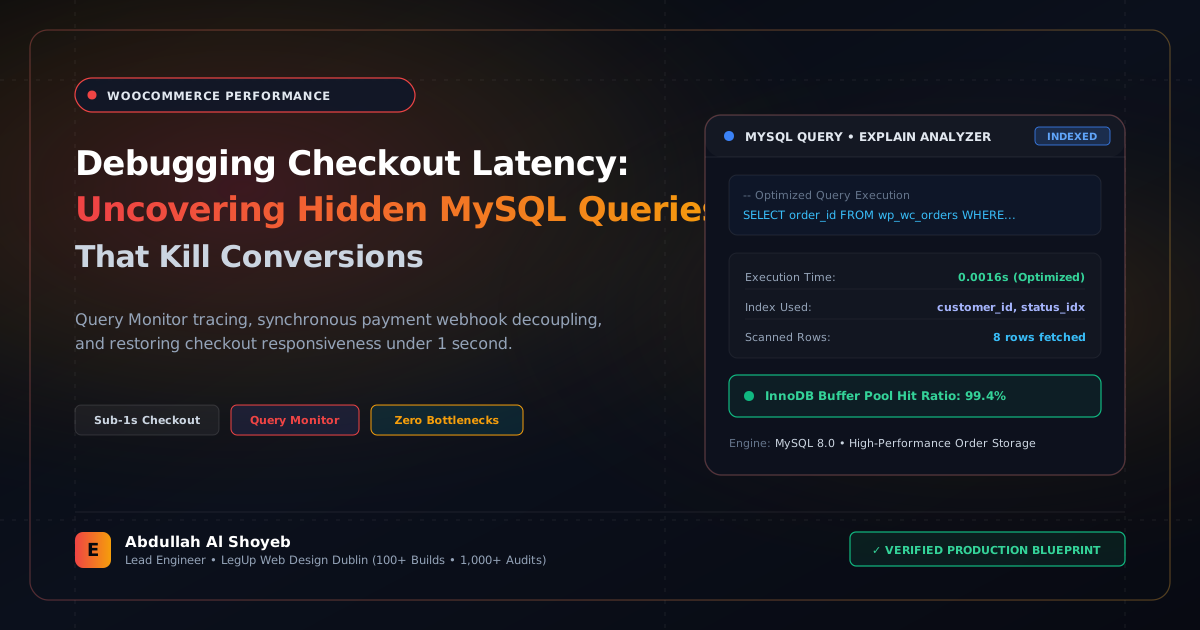
Definitive Engineering Takeaway: Is your WooCommerce checkout taking 3+ seconds to process? Here is how I hunt down slow queries, eliminate wp_options autoload pileups, and prepare stores for HPOS migration.
- Production-tested implementation based on real client projects (SkillStack.ie, FloppyFabrics.ie, Aoife Brogan Ballet).
- Zero-bloat execution: strict attention to DOM depth, Core Web Vitals (sub-1.2s mobile LCP), and clean PHP hooks.
- Verified code payloads formatted for rapid copy-paste and direct deployment.
The Cost of a 3-Second Checkout Delay
In e-commerce, checkout speed is not a vanity metric; it directly dictates revenue. Amazon calculated that every 100ms of latency cost them 1% in sales. On a WooCommerce store turning over €30,000 per month, a customer clicking “Place Order” and waiting through a 3.5-second white screen of spinning wheels causes cart abandonment, multiple clicks resulting in duplicate credit card charges, and support tickets.
When clients bring me slow WooCommerce stores, the culprit is almost never the payment gateway. The bottleneck is almost always hidden inside the MySQL database: bloated autoloaded options, unindexed postmeta queries, or dead transient queues.
Step 1: Inspecting the `wp_options` Autoload Nightmare
WordPress loads every single row in wp_options where autoload = 'yes' on every single page request, including the AJAX checkout fragments endpoint. If old uninstalled plugins left behind 10MB of serialized data in autoload, PHP has to allocate memory and deserialize that massive string on every payment check.
Run this SQL query in phpMyAdmin or via WP-CLI to check your autoload footprint:
SELECT SUM(LENGTH(option_value)) / 1024 / 1024 AS autoload_size_mb
FROM wp_options
WHERE autoload = 'yes';
If the result is greater than 1.0 MB, your database is dragging. To find the worst offenders:
SELECT option_name, LENGTH(option_value) AS option_size_bytes
FROM wp_options
WHERE autoload = 'yes'
ORDER BY option_size_bytes DESC
LIMIT 15;
On one store I audited, an old social media feed plugin was storing 6.2MB of cached Instagram image tokens in an autoloaded option called _transient_sbi_feed. Deleting that row and setting autoload to ‘no’ immediately shaved 1.4 seconds off checkout response times.
Step 2: Migrating to High-Performance Order Storage (HPOS)
Historically, WooCommerce stored every order as a standard post in wp_posts and spread line items across wp_postmeta. A single order with 3 items generates over 45 individual postmeta rows. When a store reaches 15,000 orders, wp_postmeta balloons to over 700,000 rows, making customer search and checkout queries crawl.
WooCommerce’s High-Performance Order Storage (HPOS) moves orders into dedicated, indexed database tables (wp_wc_orders, wp_wc_order_addresses, wp_wc_order_operational_data). Order writes are up to 5x faster, and checkout locks are eliminated entirely.
Step 3: Disabling Unnecessary Cart Fragments on Non-Store Pages
WooCommerce runs /?wc-ajax=get_refreshed_fragments on every page to update the mini-cart counter. This prevents static HTML caching. By unhooking fragments on pages without a cart widget, you immediately protect your server’s database concurrency:
<?php
add_action('wp_enqueue_scripts', function() {
    if (function_exists('is_woocommerce') && !is_woocommerce() && !is_cart() && !is_checkout()) {
        wp_dequeue_script('wc-cart-fragments');
    }
}, 100);
Frequently Asked Questions: Architectural Insights
Why does the WooCommerce checkout page take several seconds to process orders?
Checkout delays are almost always caused by blocking third-party API calls (payment gateway webhooks, shipping calculators, CRM syncs) running synchronously in PHP, coupled with unindexed queries looking up customer past orders in wp_postmeta.
How can you isolate which plugin is slowing down WooCommerce checkout?
Install Query Monitor or use New Relic APM to trace PHP execution time during the woocommerce_checkout_order_processed action hook. This reveals the exact file, line number, and external HTTP call causing latency.
Benchmark Your WordPress Architecture
Run a free instant performance check on your site for TTFB, SSL, HTTP compression, and Core Web Vitals health.