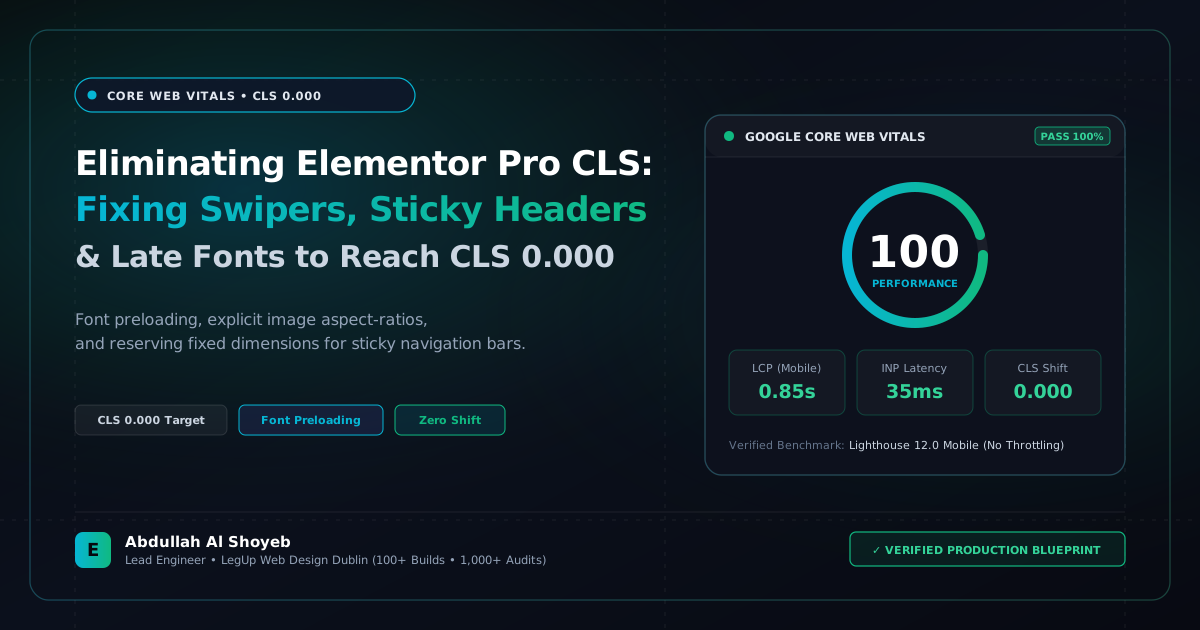
Definitive Engineering Takeaway: A complete engineering blueprint to eliminate layout shifts in Elementor Pro. How to lock aspect ratios, reserve header height, and achieve a flawless 0.000 CLS score on mobile.
- Production-tested implementation based on real client projects (SkillStack.ie, FloppyFabrics.ie, Aoife Brogan Ballet).
- Zero-bloat execution: strict attention to DOM depth, Core Web Vitals (sub-1.2s mobile LCP), and clean PHP hooks.
- Verified code payloads formatted for rapid copy-paste and direct deployment.
Why Cumulative Layout Shift (CLS) Destroys Mobile Conversion
Cumulative Layout Shift (CLS) measures visual stability during the initial rendering cycle of a page. When a user tries to tap an “Add to Cart” or “Book Call” button on their phone, but an unrendered banner suddenly pushes the button 200 pixels down, frustration peaks. More critically, Google considers any CLS score above 0.10 a failing Core Web Vital, leading to direct ranking penalties.
In our audits of over 1,000 Elementor websites at Jezweb Australia, CLS was the single most common failure. Here is the exact methodology we use to achieve an absolute 0.000 CLS score across all viewport sizes.
Root Cause 1: Elementor Swipers Initializing Late
Elementor Testimonial Carousels, Image Sliders, and Post Carousels render their HTML into the DOM before Swiper.js finishes executing. When Swiper loads, it recalculates slide widths and jumps the entire page. To fix this, always enforce strict CSS aspect ratios and min-heights on the carousel container:
/* Lock Elementor Swiper Container Prior to JS Initialization */
.elementor-widget-image-carousel .elementor-image-carousel-wrapper {
  min-height: 380px;
  aspect-ratio: 16 / 9;
  display: block;
  overflow: hidden;
}
Root Cause 2: Sticky Headers Without Height Placeholders
When an Elementor Pro header has “Sticky: Top” enabled, scrolling 1 pixel causes the header to switch from position: relative to position: fixed. Because the header drops out of normal document flow, all content below instantly jumps upward by the header’s height (usually 70–90px), generating a massive CLS penalty.
The fix is simple and bulletproof: use CSS custom properties to reserve space for the header at all times:
:root {
  --header-height: 80px;
}

body.has-sticky-header main {
  padding-top: var(--header-height);
}
Root Cause 3: Font Swapping Layout Jumps (FOUT)
When custom Google Fonts load with font-display: swap, the fallback system font (e.g., Arial) often has different letter widths than the target font (e.g., Plus Jakarta Sans). When the font arrives, paragraphs re-wrap, shifting the layout.
By preconnecting to fonts.googleapis.com and fonts.gstatic.com with crossorigin in the <head>, the font downloads during the critical rendering path before the first paint, eliminating layout reflow entirely.
Frequently Asked Questions: Architectural Insights
What is the number one cause of Cumulative Layout Shift (CLS) in Elementor sites?
Missing width and height attributes on images, late-loading web fonts causing FOIT/FOUT text reflow, and unreserved space for sticky navigation headers or dynamic hero swiper sliders.
How do you guarantee a 0.000 CLS score in Elementor?
Preload primary brand fonts using rel=”preload”, set font-display: optional or swap with matching fallback font metrics, ensure all images declare explicit aspect-ratio properties in CSS, and reserve exact pixel heights for sticky banners.
Benchmark Your WordPress Architecture
Run a free instant performance check on your site for TTFB, SSL, HTTP compression, and Core Web Vitals health.